Mandrill / Mailchimp Integration
Respond to reviews via email – with Mandrill (Mailchimp)
The Mandrill integration allows you to respond directly from re:spondelligent to reviews received via IWantTo.Review—specifically IWTR Ratings and IWTR Forms that include a registered email address.
How it works: Connect your Mandrill account to re:spondelligent via API, create an email template in Mandrill, and you can then send your responses as professional emails to your guests with a single click—all from your own sender address. Of course, you can also use our AI-generated response suggestions and send them directly to your guests by email.
Note: To use Mandrill, you need a Mailchimp account with transactional emails enabled (Mandrill is Mailchimp’s transactional email service). Please note that this is a paid service; a free version is not available. Alternatively, you can use our Brevo integration—Brevo offers a free plan.
Create a Mandrill API key
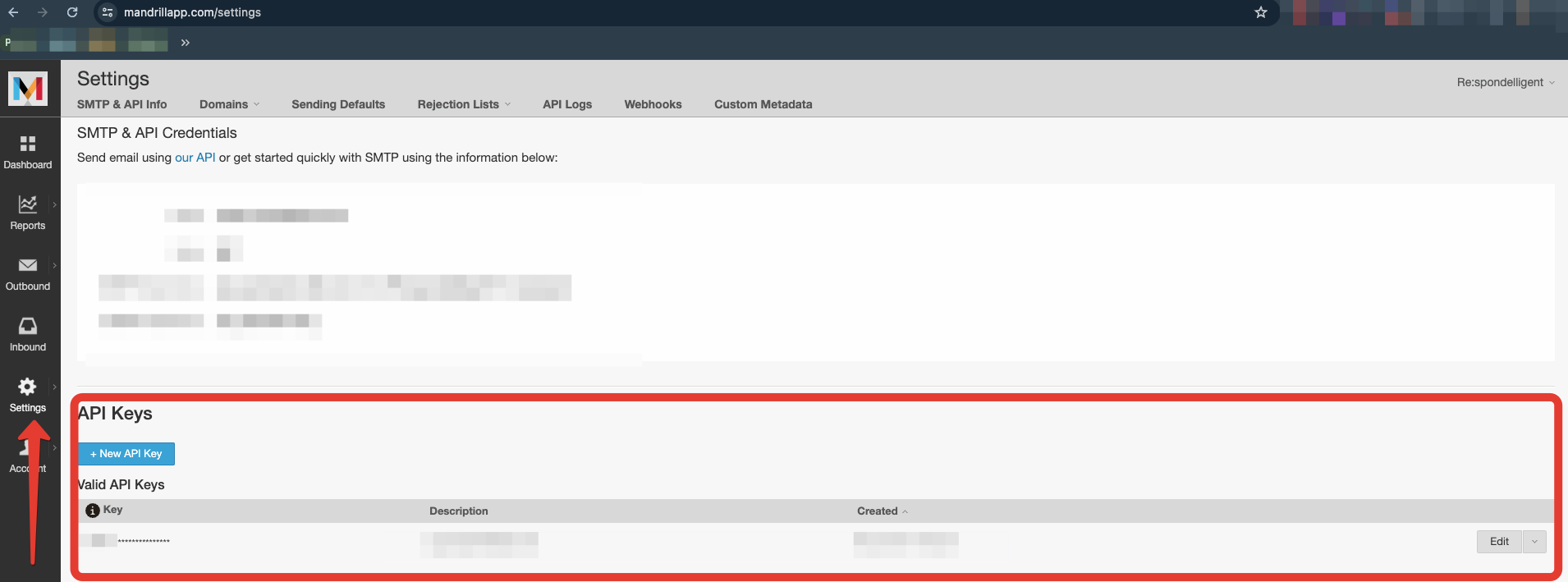
Log in to your Mandrill account and navigate to Settings → SMTP & API Info. In the API Keys section, click + New API Key and copy the generated key—you will need it for the next step.
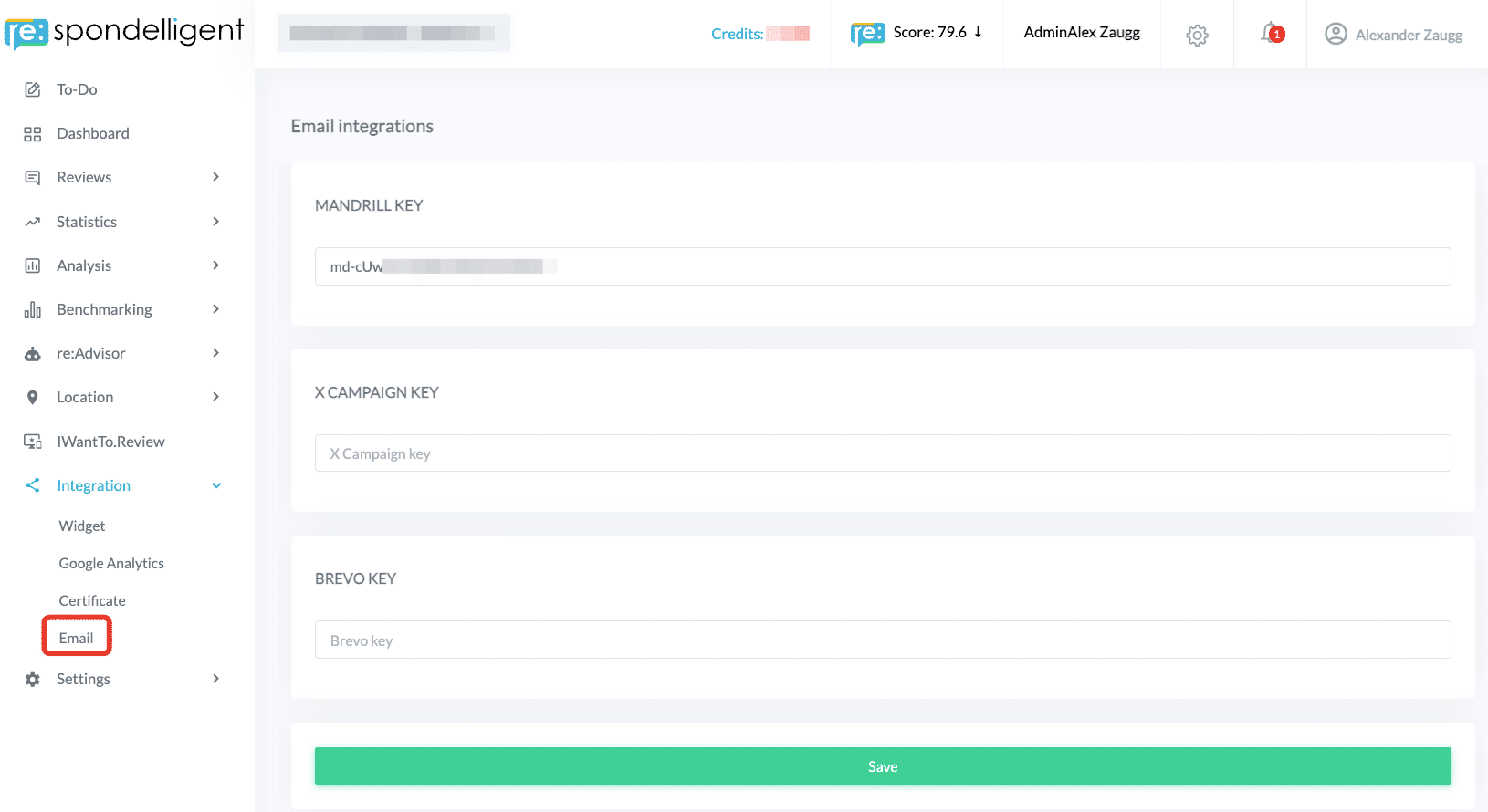
Go to re:spondelligent, navigate to Integration → Email, paste the copied API key, and click Save. The connection to Mandrill is now established.
Create an email template in Mandrill
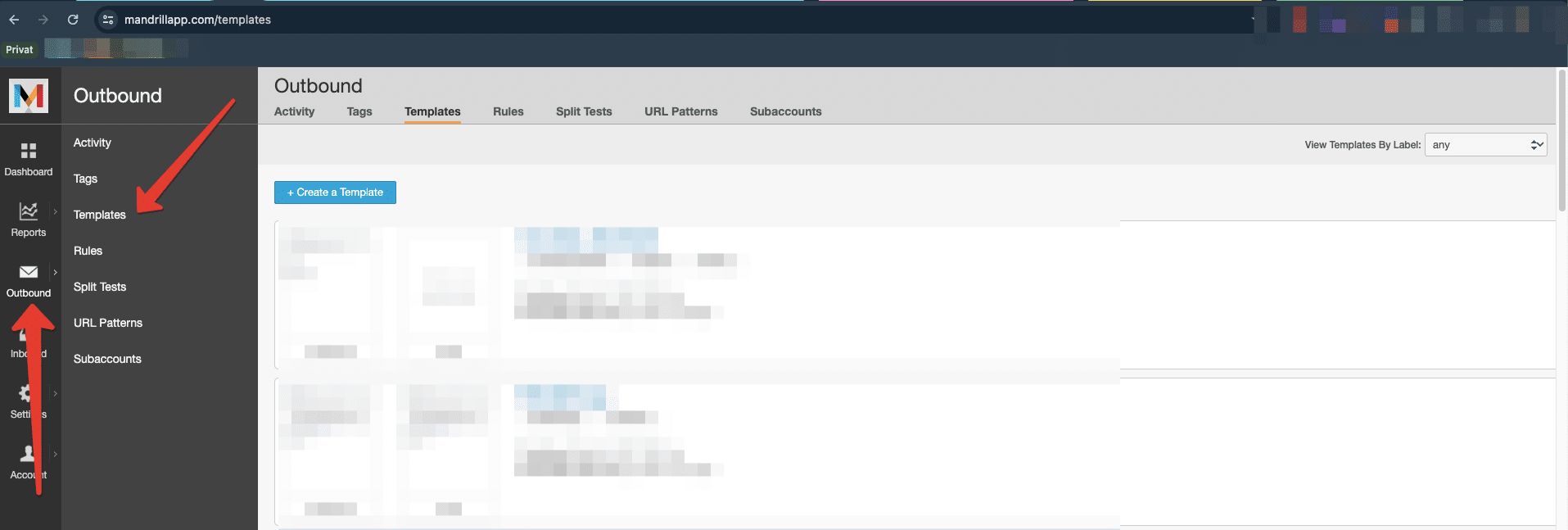
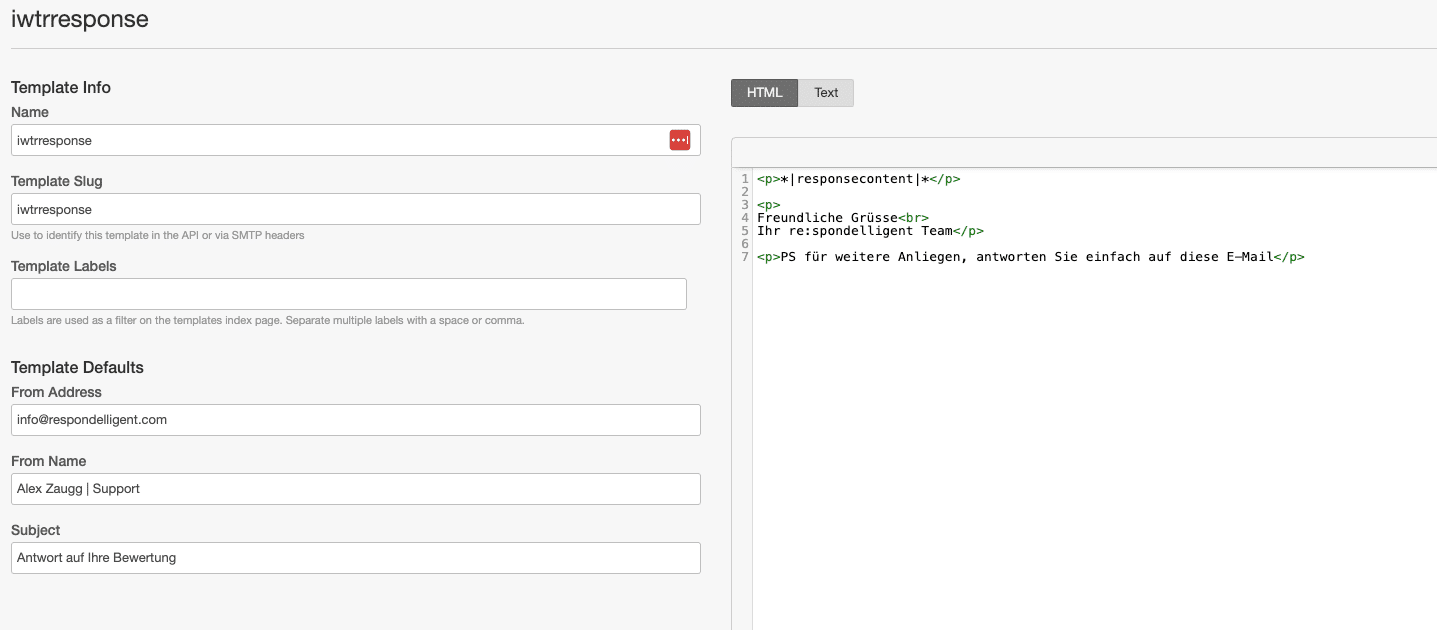
Switch back to Mandrill and navigate to Outbound → Templates. Click + Create a Template and set up a new template.
Please note the following requirements:
- Template Name (Slug): The name must be exactly
iwtrresponse. - Content placeholder: Insert the placeholder
*|responsecontent|*at the desired location in the template. This is where your response from re:spondelligent will be automatically inserted into the email.
You can freely customize the sender (From Address & From Name), the subject line, and the rest of the template design—for example, by adding a footer with a sign-off and contact details after the placeholder.
Responding to Reviews by Email
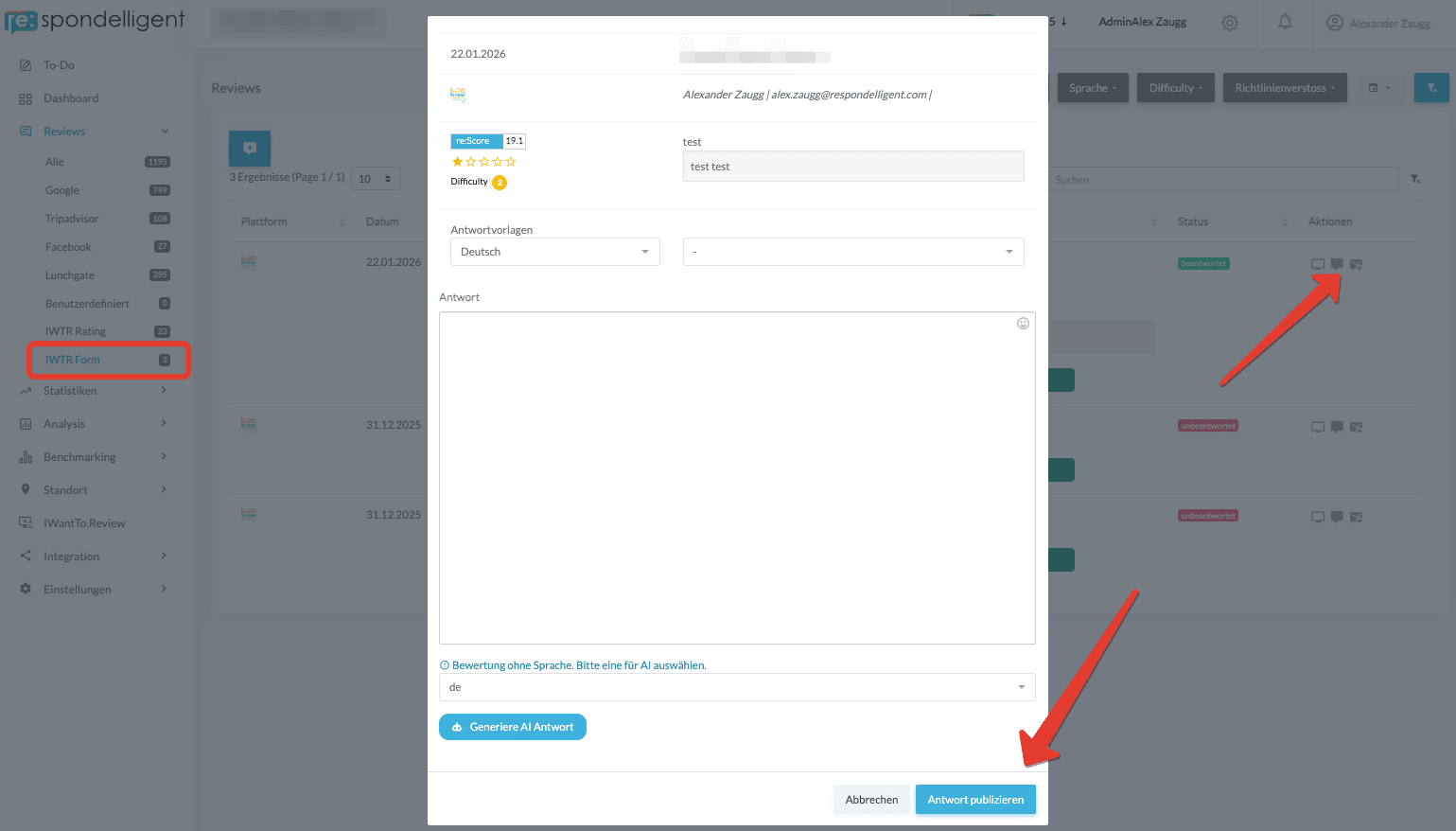
All set! Go back to re:spondelligent – for reviews of the type IWTR Rating and IWTR Form where the guest has provided an email address, you’ll now see a new icon (📩). Click on it to open the reply dialog. There you can write your response freely, or use our Smart Response Templates and AI response suggestions.
As soon as you send the response, your text will be automatically inserted into the placeholder of your Mandrill template, the email will be sent to the guest, and the review status in re:spondelligent will be set to “answered.”
Tip: Create a test review on IWantTo.Review using your own email address to run through the entire flow before going live.