
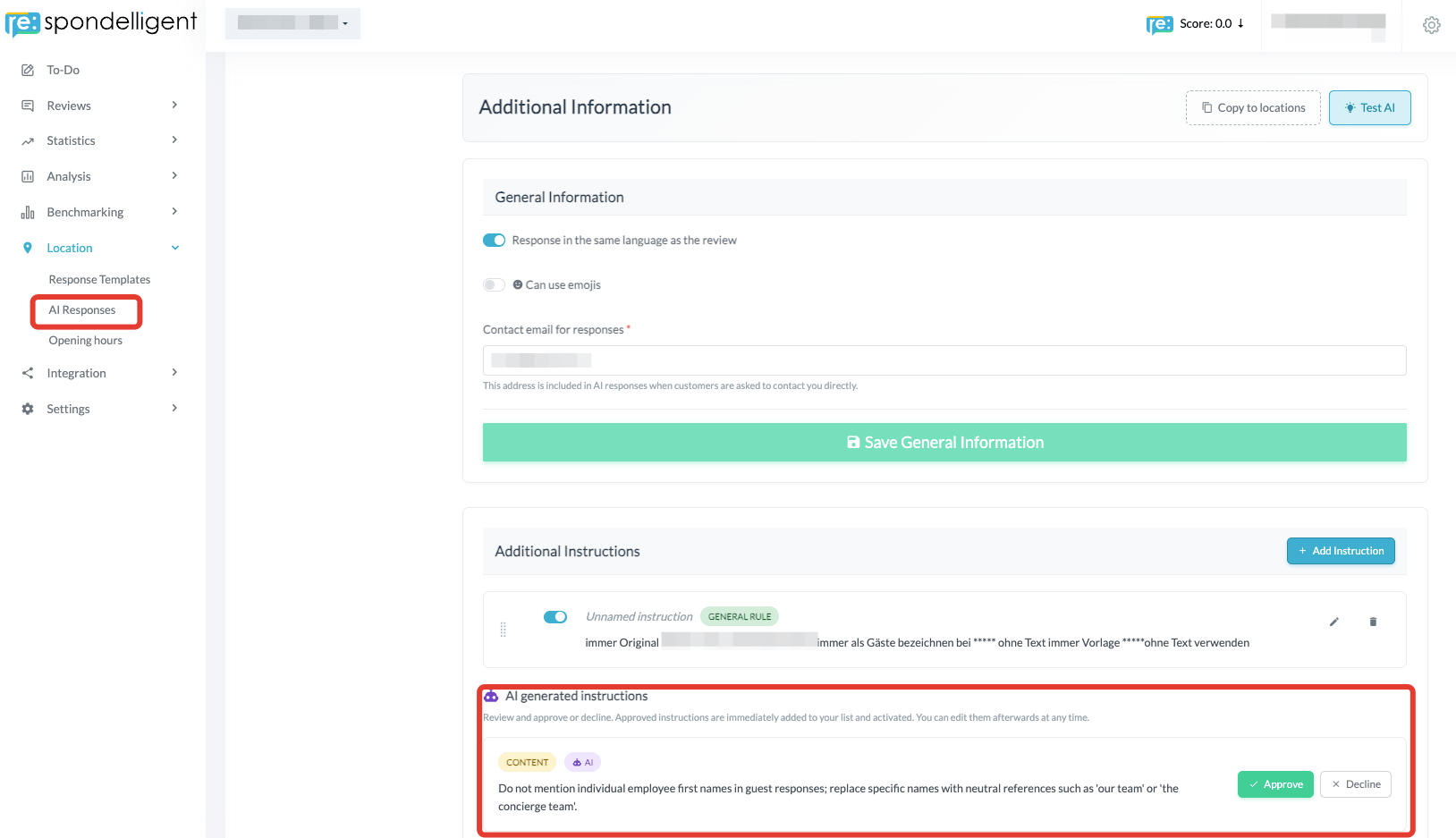
AI generated instructions
re:spondelligent automatically learns from the changes you and your team make to AI responses. When you edit a generated response before publishing, the system detects recurring patterns and suggests new instructions based on them. This happens fully automatically, with no setup required.
What makes this unique: all edits are taken into account, regardless of which user made them or which platform they were made on (Google, Tripadvisor, Booking.com, etc.). Your entire team benefits from shared knowledge.
Where do I find AI generated instructions?
Navigate to Location > AI Responses > Additional Information. Below your own instructions, you will find the section “AI generated instructions”.
Suggested instructions are marked with the “AI” badge so you can distinguish them from your own instructions.
How does it work?
- Your team edits AI responses before publishing.
- The system regularly analyzes these edits and detects recurring patterns.
- New instructions are suggested based on these patterns.
- You review the suggestions and decide whether to adopt them.
Reviewing instructions
For each suggested instruction, you have two options:
- Approve: The instruction is immediately added to your list and activated. You can edit, disable, or delete it at any time afterwards, just like your own instructions.
- Decline: The instruction is removed and will not be adopted.
Email notification
If you receive the daily update email, it will show the number of new suggestions and a direct link to review them.

Language
Instructions are currently generated in English. This does not affect the language of your AI responses. You can use instructions in any language, including mixed with your existing instructions in other languages.
Tips
- Review regularly: Pending suggestions stay in your daily email until they are approved or declined.
- Edit after approving: You can adjust approved instructions at any time if the wording is not quite right.